Redeem a Coupon Code
Apply a coupon code to your organization and unlock a paid plan for free.
Have a coupon code from the Traccia team? Redeem it from your organization's Billing & Plans settings to unlock a paid plan for free, without entering a credit card.
1Log In to Traccia
Go to traccia.ai and log in with Google, Microsoft, or GitHub. If you don't have an account yet, sign up with the same option, it takes seconds and no credit card is required.
Log In2Open Billing & Plans and Apply Your Code
From your dashboard, click Settings in the left sidebar, then select Billing & Plans. Under Have a Coupon Code?, type your code into the field and click Apply.
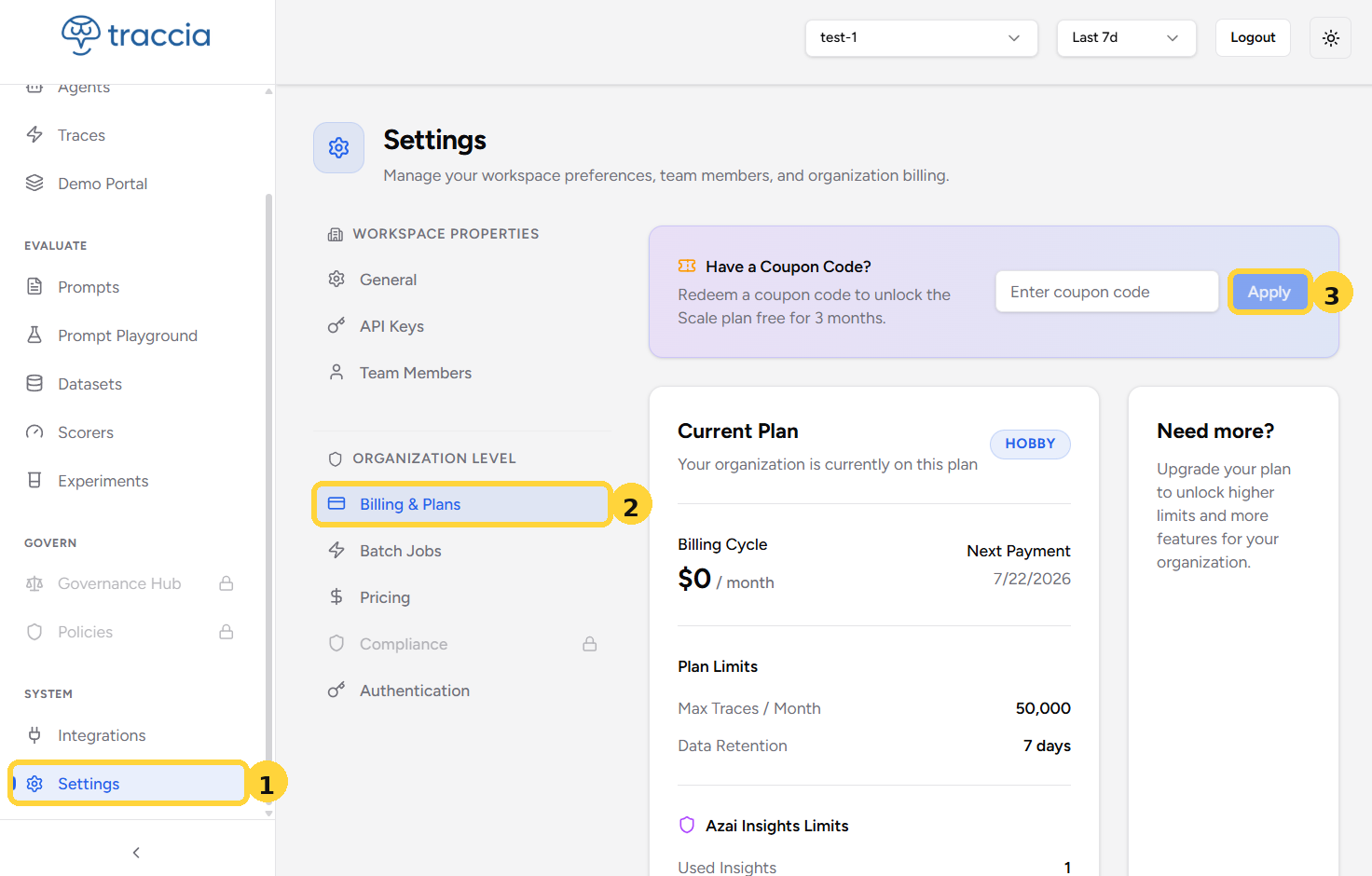
3Confirm the Coupon Was Applied
Once the code is accepted, your Billing & Plans page shows a Coupon Applied banner with the date your plan stays active for free, and your Current Plan card updates with the new plan, billing cycle, and limits.
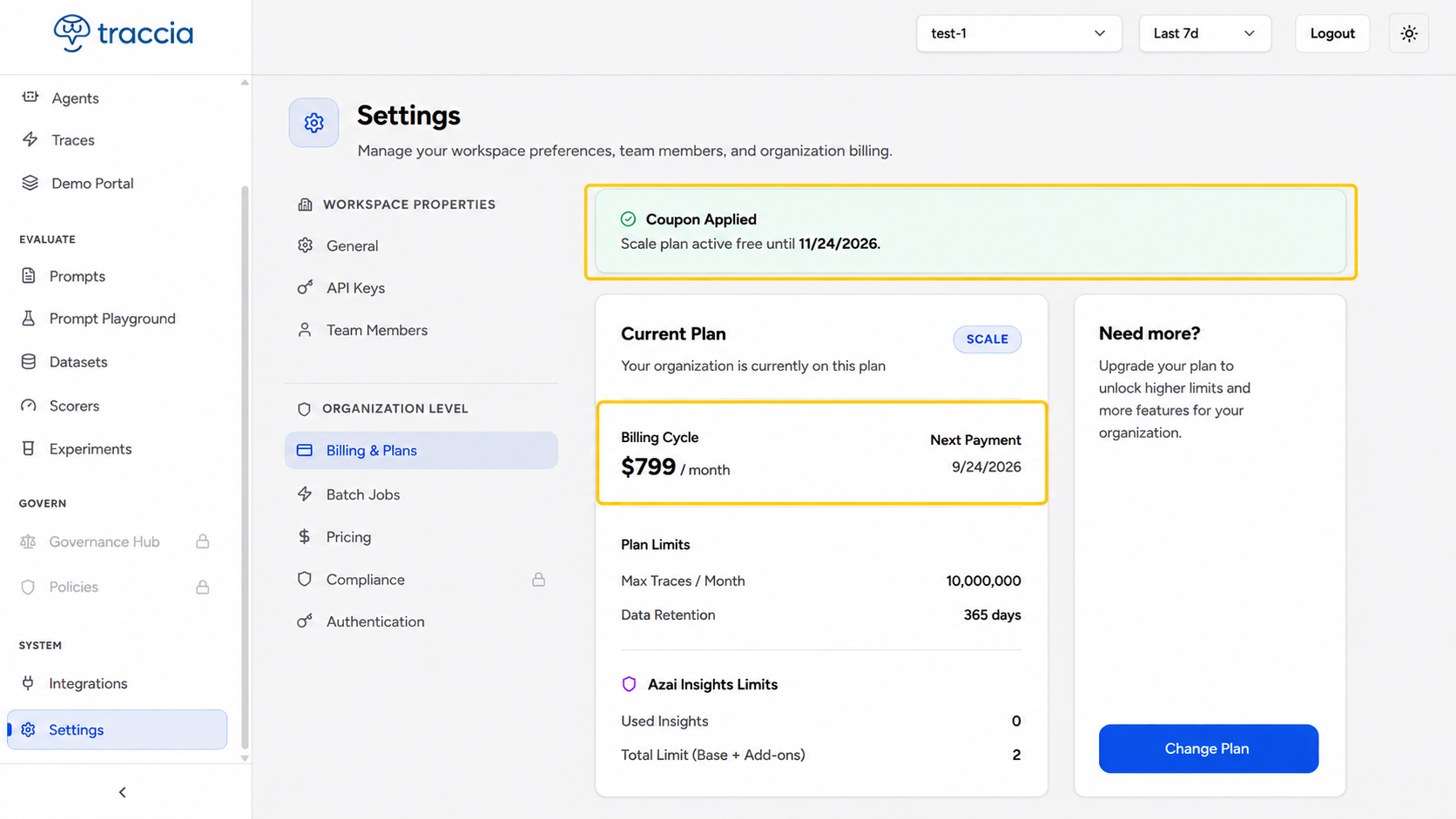
Coupon not working?
Next Steps
© 2026 Traccia.